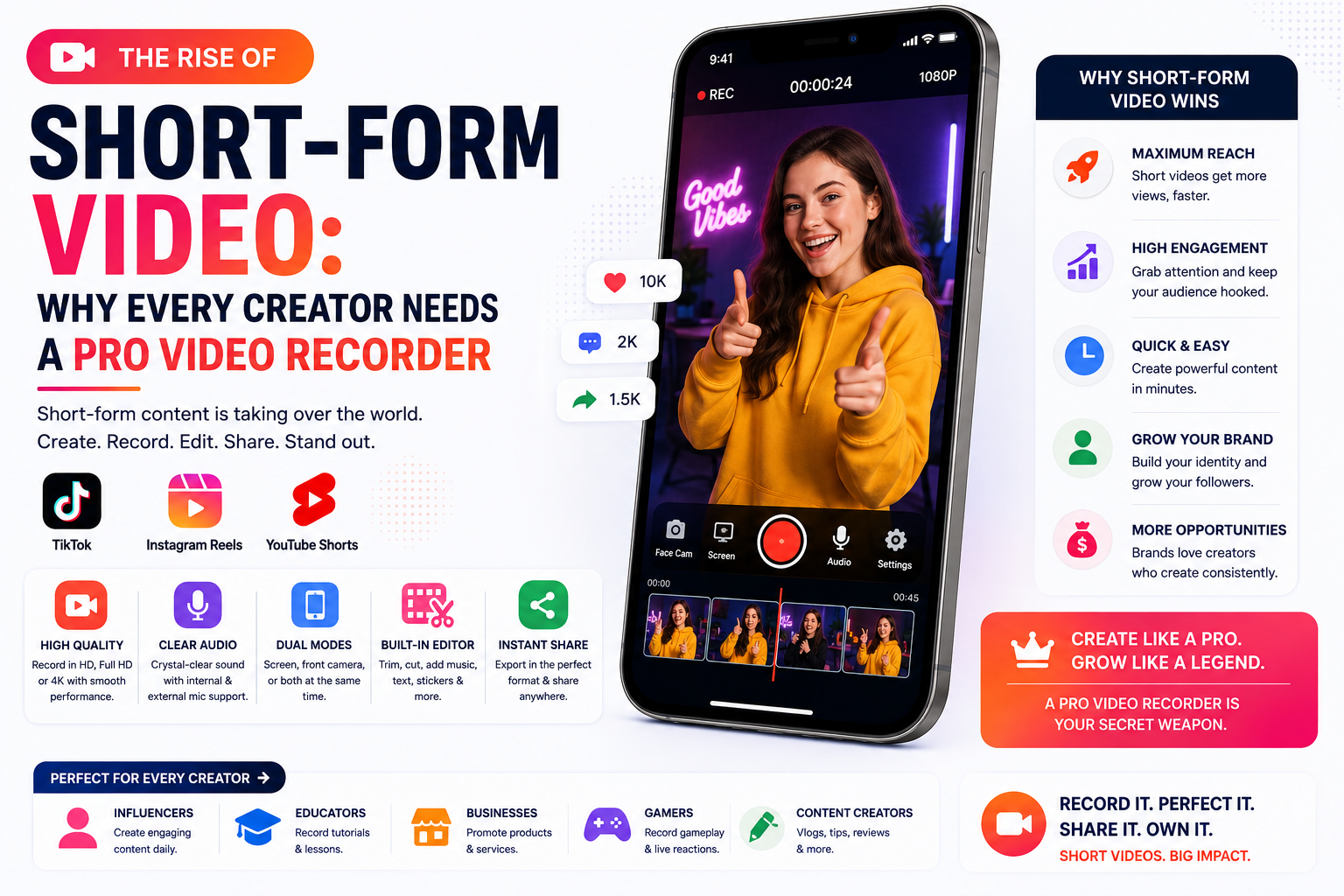
The Rise of Short-Form Video: Why Every Creator Needs a Professional Video Recorder
Short-form video has changed the way people discover ideas, learn new skills, and connect with creators. A useful tip that once required a ten-minute tutorial can now be explained in less than a minute. Product demonstrations, software guides, travel stories, reactions, educational clips, and behind-the-scenes moments can all reach thousands of viewers through a single vertical video.
Platforms such as TikTok, Instagram Reels, and YouTube Shorts have made video creation more accessible than ever. You no longer need a professional studio or an expensive camera to start creating. A modern smartphone can handle much of the work—but the phone alone is not always enough.
As competition increases, audiences expect videos to be clear, focused, and easy to watch. Poor audio, distracting notifications, awkward camera framing, or low-quality screen recordings can make viewers swipe away before the message has a chance to land.
This is where a professional video recorder becomes valuable. The right recording app gives creators better control over video quality, audio sources, camera layouts, screen capture, and the overall production process.
Why Short-Form Video Has Become So Powerful
Short-form video succeeds because it matches how people use their phones. Viewers can quickly watch a clip while waiting for a bus, taking a break, or browsing before bed. They do not need to commit to a long episode before deciding whether the content is helpful.
The format also encourages creators to communicate more clearly. There is little room for unnecessary introductions or long explanations. A successful short video usually presents a problem, provides value, and delivers a satisfying result within a limited time.
Short videos are especially effective for:
- Quick tutorials and practical tips
- App and software demonstrations
- Product comparisons
- Educational explanations
- Fitness and cooking instructions
- Gaming highlights
- Travel recommendations
- Personal stories
- Before-and-after transformations
- Answers to frequently asked questions
Businesses have also adopted this format because it can introduce a product naturally. Instead of relying only on a traditional advertisement, a company can show its product solving a real problem in a short, understandable video.
Recording Is Easy, but Creating Quality Content Is Not
Almost every smartphone includes a basic camera application. Most devices also offer some form of built-in screen recording. These tools are useful for casual clips, but creators often discover their limitations as soon as they try to produce content consistently.
A basic recorder may not let you control the resolution, frame rate, orientation, microphone source, or camera layout. It might also capture unwanted notifications or produce files that are unnecessarily large.
The result may technically be a video, but it might not be ready to publish.
Professional-looking content depends on more than image resolution. The viewer should be able to understand what is happening without struggling with unclear narration, tiny interface elements, abrupt pauses, or inconsistent framing.
A dedicated video recording app can help address these problems before the editing stage even begins.
What Makes a Video Recorder “Professional”?
The word “professional” does not necessarily mean complicated or expensive. For most creators, a professional video recorder is simply a tool that provides dependable quality and useful controls without making the recording process difficult.
Important capabilities may include:
High-Quality Recording
Creators should be able to choose an appropriate resolution based on their platform and device. Recording in 1080p is often sufficient for sharp social media content, while higher resolutions can be useful when cropping or repurposing footage.
Frame-rate control is also important. A standard tutorial may look good at 30 frames per second, while gaming, sports, or movement-heavy content may benefit from 60 frames per second.
The highest setting is not always the best choice. Higher resolutions and frame rates require more storage, processing power, and editing time. A good recorder allows the creator to balance quality with practical file size.
Reliable Audio Capture
Viewers will often tolerate slightly imperfect visuals, but poor audio can make a video difficult to watch. Background noise, inconsistent volume, and muffled speech can quickly reduce the perceived quality of a clip.
A capable recorder should provide clear microphone capture and, where supported, options for device audio. This is especially useful for app demonstrations, gameplay, reaction videos, and narrated tutorials.
Creators should still test their environment before recording. Closing windows, turning off loud fans, and moving closer to the microphone can improve results even without specialist equipment.
Screen and Camera Recording
Many modern videos combine a screen demonstration with the creator’s face. This format is popular because it shows both the subject and the person explaining it.
For example, a creator teaching a mobile editing technique can record the app interface while appearing in a small face-camera window. A gaming creator can show gameplay and reactions at the same time. A teacher can explain a presentation without losing the personal connection of face-to-camera communication.
A recorder with screen, face-camera, and dual-camera modes gives creators more ways to tell a story without moving between multiple applications.
Flexible Camera Layouts
Picture-in-picture is not the only useful layout. Depending on the content, a creator may prefer:
- A floating face-camera window
- A side-by-side view
- A top-and-bottom layout
- Full-screen front-camera recording
- Simultaneous front and rear camera views
Layout flexibility helps creators match the recording format to the subject. A reaction video may work best with picture-in-picture, while an interview or comparison may be clearer in a split-screen layout.
Recording Controls That Stay Accessible
Stopping a recording should not require returning to the recording application and capturing several unwanted seconds. Floating controls or a compact notification panel can make it easier to pause, resume, or stop a session.
These controls are particularly useful when recording another app. They reduce unnecessary footage and make the final video easier to edit.
A Well-Organized Recording Library
Creators who publish regularly can quickly accumulate dozens of clips. If recordings are difficult to find, preview, rename, or share, the workflow becomes frustrating.
A useful recording library should display thumbnails, recording dates, durations, and basic file information. Simple playback, sharing, and deletion controls also help prevent storage from becoming cluttered.
How a Professional Recorder Improves the Creative Process
The most important advantage of a dedicated recording tool is not a single technical feature. It is the reduction of friction between having an idea and producing a usable video.
It Reduces Editing Time
Clean recordings require fewer corrections. If the video already has the correct orientation, clear audio, a suitable camera layout, and minimal unwanted footage, editing becomes faster.
This matters for creators who need to publish several times per week. Saving even ten minutes on each video can make a meaningful difference over a month.
It Creates More Consistent Results
Consistency builds familiarity. When videos repeatedly use similar framing, resolution, audio quality, and presentation, viewers begin to recognize the creator’s style.
A professional recorder makes it easier to use the same settings across different recording sessions. That consistency can make a small creator’s channel feel more established.
It Helps Creators Work Independently
Not every creator has a camera operator, editor, or studio assistant. Many people plan, record, edit, publish, and analyze their content alone.
Features such as dual recording, floating controls, audio selection, and reusable quality settings allow one person to manage a more advanced production without a large team.
It Makes Repurposing Content Easier
A single recording can often be adapted for several platforms. A longer tutorial might become multiple Shorts, Reels, or TikTok clips. A screen demonstration may also be reused in an online course, product page, or support article.
Starting with a high-quality original recording gives the creator more freedom during cropping and editing. Low-resolution footage offers far fewer options.
Choosing the Right Video Recorder
There is no single recorder that is ideal for every creator. The best choice depends on the content being produced and the device being used.
Before choosing an application, consider the following questions:
- Does it support the resolution and frame rate I need?
- Can it record the screen and microphone reliably?
- Does it support internal audio where the operating system allows it?
- Can I use a face camera while recording the screen?
- Are the controls easy to access during recording?
- Does it add a watermark to exported videos?
- Can I organize and preview recordings inside the app?
- Are its privacy practices clearly explained?
- Does it provide understandable permission requests?
- Does it perform reliably during longer sessions?
- Are free and paid features explained transparently?
Creators should also pay attention to device performance. Recording at demanding settings can cause heat, battery drain, dropped frames, or interruptions on older phones. Testing a short clip before an important session is always worthwhile.
Privacy and Permissions Matter
Video recording apps may require access to the camera, microphone, notifications, screen capture, or local media. These permissions can be necessary for core features, but users should understand why each one is requested.
A trustworthy app should request permissions in context. For example, microphone access should be requested when the user selects audio recording—not without an explanation during the first launch.
Creators should also be careful when recording their screens. Messages, email addresses, financial information, passwords, and notification previews may appear unexpectedly. Enabling Do Not Disturb mode and closing sensitive apps before recording can prevent accidental exposure.
Before publishing a screen recording, watch it from beginning to end and inspect the background for personal information.
Common Recording Mistakes to Avoid
Better software can improve the process, but good recording habits remain essential.
Recording Without a Clear Opening
Short-form viewers make quick decisions. Begin with a specific benefit, question, or problem instead of a long greeting.
For example, “Here is how to remove a background in 20 seconds” is more direct than a lengthy channel introduction.
Ignoring Audio Quality
Record a short audio test and listen through headphones. Check for echo, background noise, and differences in volume.
Using the Wrong Orientation
Most short-form platforms favor vertical video. Record in the intended orientation whenever possible instead of heavily cropping horizontal footage later.
Capturing Private Notifications
Activate Do Not Disturb mode, hide notification previews, and close personal conversations before starting a screen recording.
Selecting Unnecessarily High Settings
A very high resolution may consume storage and cause performance issues without providing a visible benefit after social media compression. Choose settings that match the final platform.
Publishing Without Reviewing the Recording
Watch the entire clip before uploading it. Look for frozen frames, audio delays, accidental touches, personal information, or sections that can be trimmed.
Do Beginners Really Need a Professional Video Recorder?
Beginners do not need to purchase every premium creative tool immediately. However, they can benefit from using a recorder that offers reliable basic features and room to grow.
A good recorder helps beginners learn repeatable habits from the start. Instead of fighting technical limitations, they can focus on scripting, presentation, storytelling, and audience feedback.
The goal is not to make every clip look like a television commercial. Short-form video often performs well when it feels direct and authentic. Professional tools should support that authenticity—not remove it.
The Future of Short-Form Content Creation
Short-form video is becoming more than an entertainment format. It is now used for education, customer support, product discovery, news summaries, personal branding, and professional communication.
Recording tools are evolving alongside these uses. Features such as automatic captions, intelligent noise reduction, background removal, script assistance, and multi-camera layouts are making advanced production techniques accessible to everyday users.
However, technology cannot replace a useful idea. The recorder helps present the message clearly, but the creator still needs to understand the audience and provide something worth watching.
The strongest combination is simple: meaningful content supported by reliable tools.
Final Thoughts
Short-form video has lowered the barrier to becoming a creator, but it has also raised audience expectations. People now encounter polished videos throughout the day, making clarity and consistency increasingly important.
A professional video recorder can help creators capture clearer audio, record screens and cameras together, control video quality, reduce editing time, and organize their work more efficiently. It turns a smartphone from a basic camera into a more complete content-production tool.
Creators do not need the most expensive setup to succeed. They need a dependable workflow, a clear message, and a recorder that does not stand between their idea and the finished video.
As short-form platforms continue to shape online communication, learning to record efficiently is no longer just a technical skill. It is becoming an essential part of modern content creation.
Frequently Asked Questions
What is a professional video recorder app?
A professional video recorder app provides additional control over resolution, frame rate, audio, camera layouts, screen capture, and recording management. It is designed to produce more consistent and publish-ready footage than a basic recorder.
Is 1080p good enough for short-form video?
Yes. In most cases, 1080p provides sufficient quality for TikTok, Instagram Reels, and YouTube Shorts. Higher resolutions can be helpful when creators need to crop footage, but they also create larger files.
Can I record my screen and face at the same time?
Many dedicated recording apps support face-camera overlays or picture-in-picture recording. Availability can depend on the application, operating system, and device capabilities.
Why is audio quality important in short videos?
Clear audio makes information easier to understand and helps a video feel more polished. Viewers may leave quickly when speech is too quiet, distorted, or overwhelmed by background noise.
Should I use 30 FPS or 60 FPS?
Thirty frames per second is suitable for most tutorials and talking-head videos. Sixty frames per second may produce smoother results for gameplay, sports, or content with fast movement, but it requires more storage and processing power.
How can I protect my privacy while screen recording?
Turn on Do Not Disturb mode, hide notification previews, close sensitive applications, and review the completed recording before publishing it. Never intentionally record passwords, banking details, or private conversations.
Does a professional recorder guarantee more views?
No tool can guarantee views. A better recorder can improve clarity and consistency, but performance still depends on the topic, opening hook, usefulness, presentation, audience relevance, and publishing strategy.