Leave the Bulky Scanners: How Mobile Apps Are Revolutionizing Document Digitization
The rise of remote work and lean business operations has created a growing demand for mobile digitization tools, making bulky scanners a thing of the past. With the latest scan PDF app technology, small businesses can turn any smartphone into a professional office scanner, increasing productivity and efficiency. In this article, we'll explore the best scan PDF app alternatives for small businesses and how they can benefit from this innovative technology.
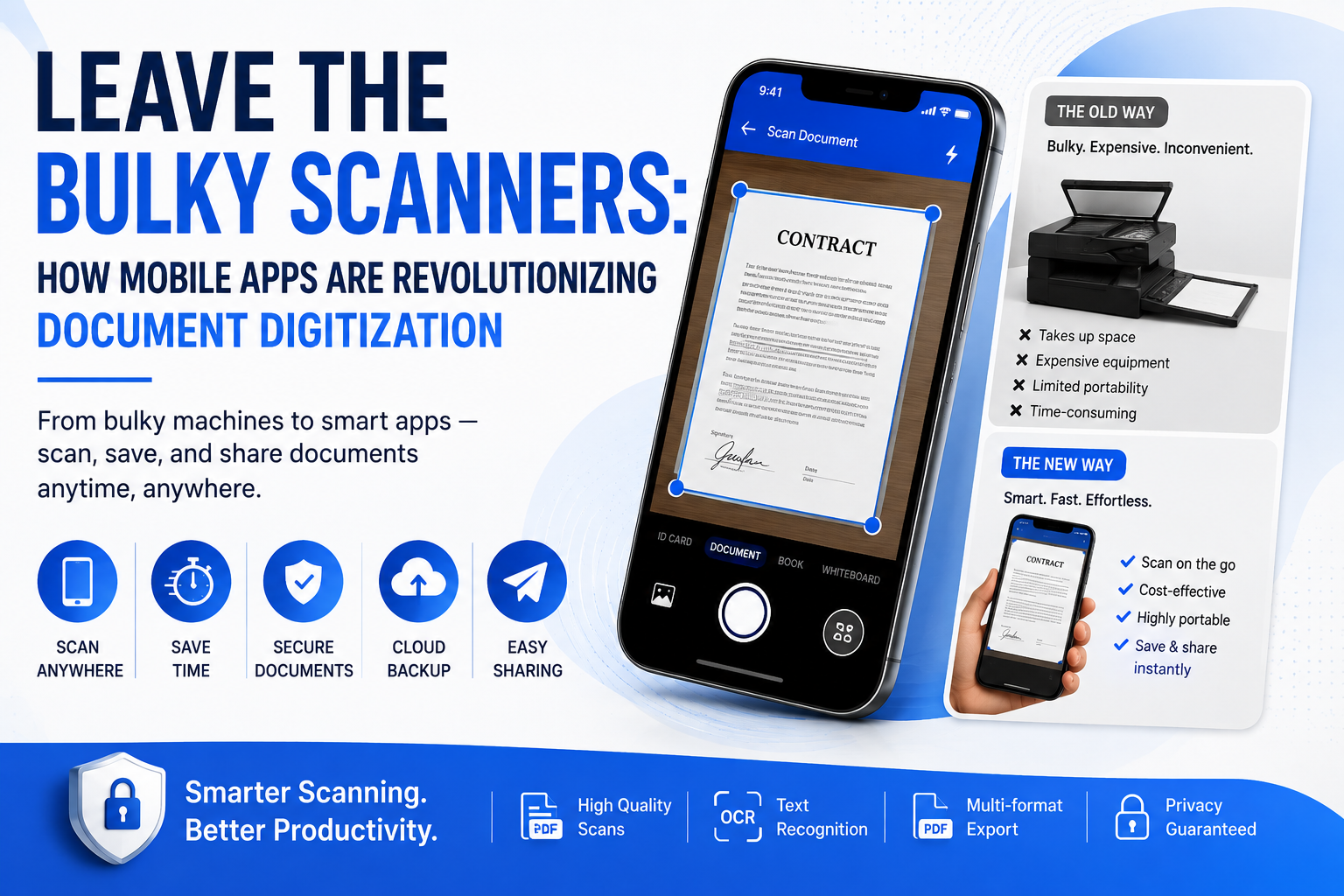
The traditional office scanner has been a staple in many businesses for decades, but with the shift towards remote work and lean business operations, it's becoming increasingly obsolete. Bulky scanners take up valuable space, are often expensive to maintain, and can be a hassle to use. Moreover, they require a physical connection to a computer, which can limit their use in today's mobile-centric world. As small businesses continue to adapt to the changing work landscape, they're looking for more efficient and cost-effective ways to digitize documents, and that's where scan PDF apps come in. These innovative apps use the camera on your smartphone to scan documents, creating high-quality digital copies that can be easily shared, stored, and edited.
https://play.google.com/store/apps/details?id=com.editpdfstudio
One of the primary benefits of using a scan PDF app is the increased mobility it offers. With a scanner app, you can digitize documents from anywhere, at any time, as long as you have your smartphone with you. This is particularly useful for remote workers, freelancers, and business owners who are always on the go. Additionally, scan PDF apps often come with a range of features that make it easy to edit, annotate, and share documents, such as optical character recognition (OCR), text editing, and cloud storage integration. Some apps even offer advanced features like automatic document detection, perspective correction, and barcode scanning, making them a powerful tool for businesses of all sizes. By leveraging these features, small businesses can streamline their document management processes, reduce paperwork, and increase productivity.
Another significant advantage of scan PDF apps is their cost-effectiveness. Traditional scanners can be expensive to purchase and maintain, especially for small businesses with limited budgets. In contrast, scan PDF apps are often free or low-cost, with many offering subscription-based models that provide access to additional features and storage. This makes them an attractive option for businesses looking to reduce their overhead costs and allocate resources more efficiently. Furthermore, scan PDF apps can help small businesses reduce their environmental impact by minimizing the need for paper and ink. By digitizing documents and adopting a paperless workflow, businesses can contribute to a more sustainable future while also improving their bottom line. As the demand for mobile digitization tools continues to grow, it's likely that we'll see even more innovative solutions emerge in the market.
So, what are the best scan PDF app alternatives for small businesses? There are many options available, each with their own unique features and benefits. Some popular choices include Adobe Scan, CamScanner, and Scanbot, which offer a range of features like OCR, text editing, and cloud storage integration. Other apps, like Genius Scan and TinyScan, specialize in specific areas like document detection and barcode scanning. When choosing a scan PDF app, it's essential to consider your business needs and look for features that align with your goals. For example, if you need to scan receipts and invoices, look for an app with strong OCR capabilities and expense tracking features. By selecting the right app for your business, you can ensure a seamless transition to a paperless workflow and start enjoying the benefits of mobile digitization.
In conclusion, the days of bulky scanners are behind us, and it's time for small businesses to embrace the power of scan PDF apps. With their ease of use, advanced features, and cost-effectiveness, these apps are revolutionizing the way we digitize documents and manage paperwork. As the shift towards remote work and lean business operations continues, it's likely that we'll see even more innovative solutions emerge in the market. By adopting a scan PDF app, small businesses can increase productivity, reduce costs, and contribute to a more sustainable future. Whether you're a solo entrepreneur or a growing business, it's time to ditch the bulky scanner and discover the benefits of mobile digitization for yourself. With the right scan PDF app, you can take your business to the next level and stay ahead of the curve in today's fast-paced digital landscape.
AppHub Technology Editorial
Written by the engineering and product team at AppHub Technology. We are a premier mobile app development agency specializing in native Android, iOS, and cross-platform solutions for businesses worldwide.
Ready to turn your idea into reality?
Skip the guesswork. Get a free technical consultation and a detailed project blueprint from our mobile architects.
- NDA Protected
- Free Architecture Plan